
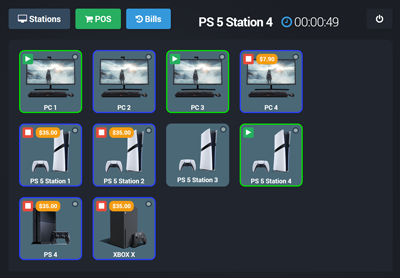

Easily Control Your Gaming Center
Login and Access Control Options
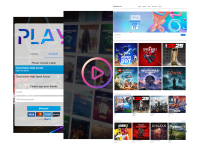
Internet Cafe supports a wide range of authentication methods, including user accounts, prepaid vouchers, one-time passwords, and instant access after a short video ad. You can offer limited free trials, automate signups with integrated payment flows, and apply session rules that automatically log out inactive users.
Application and Content Management
Organize approved apps into clear categories such as Games, Apss, and Media, so users see a clean menu instead of a cluttered desktop. Restrict specific applications, system tools, and Windows functions (including Open, Save, or Run) to keep the environment focused and controlled. In both modes, Internet Cafe replaces desktop icons with a secure interface and can open a restricted browser when required.
Remote Power and Device Control
With Smart Power Integration, Internet Cafe connects to Tuya-compatible smart plugs, letting admins remotely power devices on or off – TVs, consoles, projectors, and more – directly from the dashboard, without physical access.
Personalized User Experience
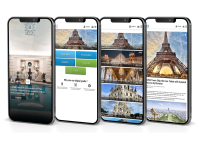
Create a branded, station-specific login experience with your logo, backgrounds, colors, and announcements. Run promotions with image or video ads, and follow up after sessions via email, SMS, or WhatsApp using GDPR-compliant marketing tools.
Full Payment and Billing System
Offer paid access plans based on time or data usage with support for 100+ payment gateways, including Stripe, PayPal, and mobile money services. Generate vouchers instantly, manage user accounts with limits and expiration rules, and enable reseller options when you need additional distribution flexibility.
Real-Time Monitoring and Analytics
Monitor all connected devices from one dashboard with real-time session tracking. Detailed logs and usage reports provide clear visibility into activity, performance, and operational trends – so you can act quickly and optimize decisions.
What is Antamedia Cloud Station ?
Antamedia Cloud Station is a cloud-based solution that allows businesses to manage and control public-access PCs and consoles from a single, centralized dashboard. It is ideal for environments like gaming cafés, school labs, hotel lounges, libraries, and other locations that offer shared public access to computers.
The platform enables businesses to handle user access, set usage limits, monitor activity, and control when and how users can access the systems. It also integrates billing systems for monetizing services based on hourly, daily, or subscription models. Additionally, businesses can utilize marketing and promotional features to enhance the user experience and promote special offers.
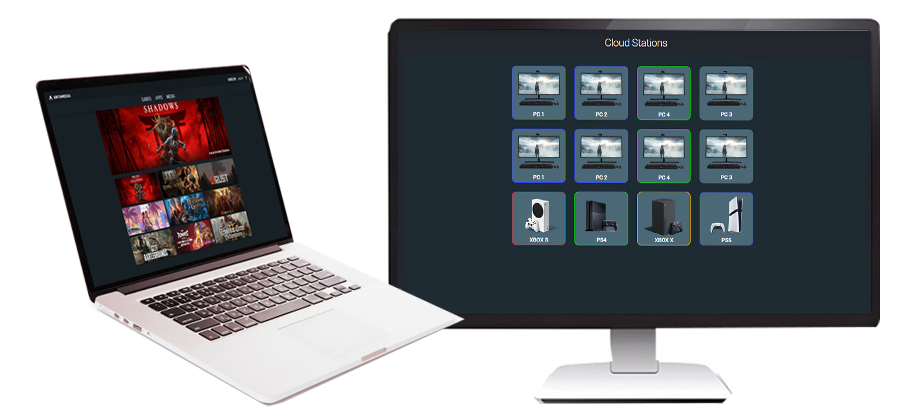
Manage POS, Bills, and Receipts
POS (Point of Sale)
Sell products and services from the same dashboard used to control sessions, keeping each sale linked to the correct station and user for billing.
Bills (Checkout Flow)
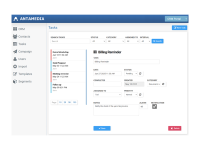
Create a single checkout for session charges and POS items: open a bill, add usage and extras, close it, and record the full transaction.
Online Payments & Gateways
Enable online payments through integrated gateways such as PayPal, Stripe, Authorize.Net, or local providers, so customers can pay for access directly online anytime securely.
Access Plans & Balance Recharge
Let customers purchase access plans or recharge their balance from the splash page, supporting paid access based on time or data usage via self-service.
Pre-Paid Prices and Vouchers
Create price plans that generate accounts, refills, and ticket timecode vouchers, combining limits like time, program groups, expiry logic, and daily limits per user.
Print Your Own Tickets
Print accounts, refills, and receipts using multiple templates, create ticket batches for distribution, and set expiration rules from first use or after last login.
Internet Cafe Modules
Dashboard
Use the Dashboard as the main control center for monitoring and managing all connected stations, giving administrators one place to oversee activity and operations.
Stations
Configure each connected PC or console under Stations, registering devices to the platform so they appear in the dashboard and can be managed centrally.
Applications
Precisely define which programs, games, and utilities are accessible to end users through Applications, supporting controlled environments built around approved software lists for usage.
Configuration
Define the default login screen shown across all stations using Configuration, ensuring consistent user entry points and policies across the entire managed environment daily.
Users
Manage user access and create vouchers and accounts in Users, supporting account-based login and voucher distribution from a centralized administration area for staff easily.
Marketing
Display video and image ads on splash pages through Marketing, enabling on-screen promotions directly within the login experience for each station consistently as needed
Who is Using Internet Cafe Software?
Control and Monetize WiFi Access
Control WiFi Customers
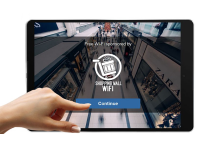
Use the WiFi Hotspot to control and bill customers without installing software on their devices, managing access through browser authentication and policies per account.
Browser Login & Free Trials
Let customers authenticate in the browser using a username and password, offer a free trial when needed, and keep onboarding fast for first-time visitors.
Free or Paid Access Limits
Offer free or paid WiFi with limits by time, data transfer, bandwidth quota, daily limits, logins, simultaneous sessions, and schedules for consistent fair access.
Download and Upload Rate Control
Set per-account speed limits to protect bandwidth for all customers and monetize premium tiers, such as VIP accounts, with higher rates during peak hours.
Bandwidth Quota Control
Define traffic quotas per account using daily, monthly, or combined limits, with options to add extra bandwidth when customers need more usage on demand.
Unified Accounts with Stations
Support a unified account experience across public PCs, consoles, and WiFi, so users can access services consistently within the Antamedia Platform across all devices.