
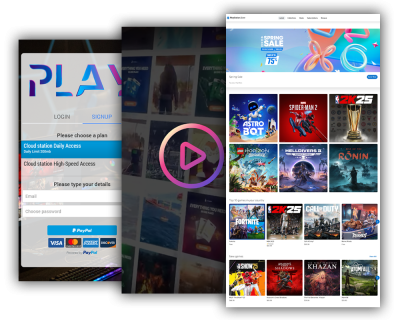

Your Dashboard for daily operations
The Internet Cafe Dashboard is the main control center for monitoring and managing all connected stations. From one place, administrators can oversee activity, apply policies, and keep operations consistent across the floor.
It provides a live overview of station status and active sessions, so staff can react immediately when a device needs attention. Detailed logs and usage reporting add operational visibility and support auditing and better day-to-day decisions.

Stations management
Manage PCs and consoles as Stations.
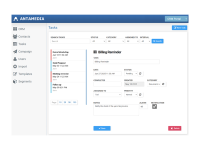
Use Stations to configure each connected PC or console and bring them under centralized control.
This keeps device management structured, so your team can run daily operations from the same cloud dashboard.
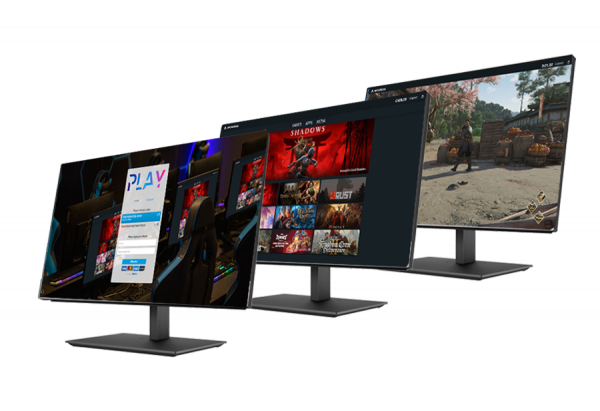
Internet Cafe Features
Approved apps, structured access
Define what users can run.
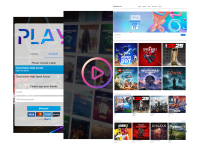
With Applications, you precisely define which programs, games, and utilities are accessible to end users – so customers only see what you approve. Use Configuration to define the default login screen shown across all stations for a consistent experience.

Users, vouchers, and access methods
Flexible access for different customer flows.
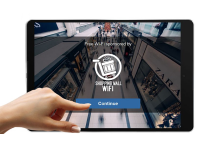
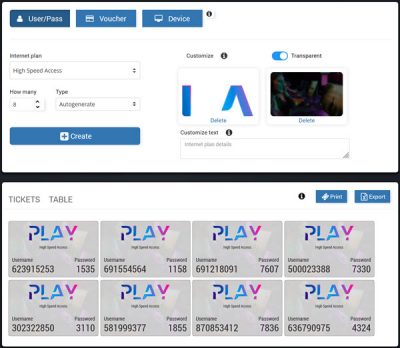
Internet Cafe supports multiple access methods, including individual accounts, prepaid vouchers, one-time passwords (OTP), and instant access after a brief video ad.
You can offer limited free trials, automate signups with integrated payments, and apply session rules that log out inactive users automatically.
Payments and monetization
Monetize access with modern payment methods.
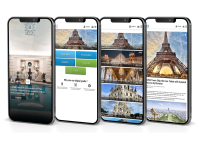
Internet Cafe supports Payments and Signup Methods and allows monetizing access with prepaid plans, including time or data-based usage models. Customers can purchase access plans or recharge balance directly from the splash page, reducing staff workload at peak times.
You can also generate vouchers and manage user accounts with limits and expiration rules to match your pricing strategy.

Who is it for?
Simple setup
Deploy quickly and scale as you grow.
Download the installer on your Windows PC, log in, select between Café and Kiosk modes, and register your station on the portal.
For multi-display or unique setups, you can adjust screen positions, and set up custom app profiles.
Once a station is registered, it appears in your dashboard so you can monitor activity and keep settings consistent across the floor.
Start with a few PCs and expand to more stations as demand grows, using the same setup flow for every new device.

Easy, Powerful, Reliable
Internet Cafe is built to simplify the way you manage PCs and consoles. Whether you're running a small Cyber Café or a chain of eSports centers, it offers the same intuitive interface and full control. Fast to set up, easy to use, and ready to scale with your needs.
Boost Your eCenter
Take full control of your environment – automate payments, enable credit card processing, and track customer usage in real time. Built-in reports give you instant insights into activity, and profits. Save time, reduce effort, and increase revenue.
Trusted since 2001.
With over two decades of development, our software has grown alongside the evolving needs of gaming centers and public venues. Trusted by thousands worldwide, Internet Cafe carries the legacy of our first Antamedia product, refined through experience and user feedback.